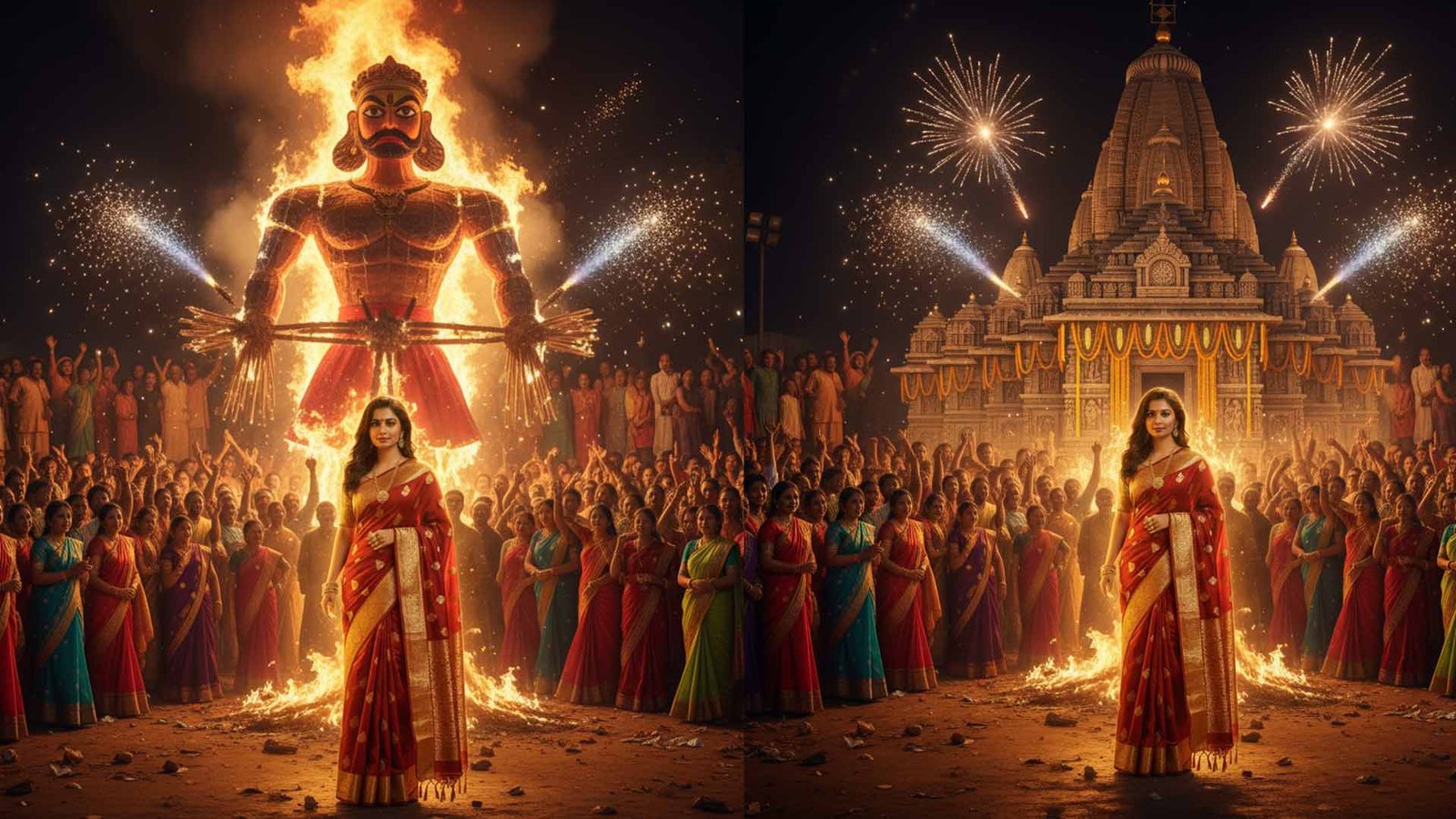
Google Gemini Photo Editing Prompts To Create Stunning Dussehra Looks This Festive Season
Dussehra is around the corner, and like every festival in India, it’s not just about traditions but also about celebrating with color, fashion, and style. From sharing festive greetings to posting your best ethnic looks on Instagram, photos are a big part of the celebrations. And this year, Google Gemini can be your secret tool to give your Dussehra photos a magical touch.
Gemini, Google’s AI model, comes with photo editing prompts that let you transform your pictures with just a line of text. Whether you’re wearing a saree, kurta, or lehenga, you can instantly add effects, adjust lighting, or create stunning festive backdrops that capture the spirit of the season.
In this blog, let’s look at how you can use Google Gemini photo editing prompts to create unique Dussehra-inspired images.
Why Use Gemini for Festive Photo Editing?
- Quick edits without pro tools – You don’t need Photoshop-level skills. Just write what you want, and Gemini does the job.
- Festive backdrops on demand – Mandaps, temples, or Ravan Dahan scenes can be generated around your photo.
- Ethnic vibes with filters – Add golden hues, diyas, rangoli patterns, or traditional lighting.
- Social media ready – Your edited pictures will look professional and instantly shareable.
Best Gemini Prompts for Dussehra Photo Editing
Here are some ready-to-use prompts you can try:
1. Traditional Saree Glow
“Make the background bright with festive lights and add a golden glow to enhance the saree look.”
Perfect for women in silk or designer sarees who want a goddess-like vibe.
2. Ravan Dahan Backdrop
“Place me in front of a Ravan Dahan event with firecrackers and a festive crowd.”
Great for symbolic Dussehra celebration posts.
3. Ethnic Portrait Frame
“Add a colorful rangoli frame and decorate the sides with diyas and flowers.”
Use this for profile pictures or WhatsApp Dussehra wishes.
4. Royal Kurta Style
“Highlight the kurta design, add warm yellow lighting, and place a temple in the background.”
Perfect for men who want their traditional outfit to shine.
5. Festive Couple Shot
“Create a backdrop of a grand Dussehra pandal with lights and flowers for a couple photo.”
Couples can give their photos a dreamy festive vibe.
6. Durga Maa Blessings
“Place a glowing Durga Maa idol behind me with floral decorations and divine lighting.”
Adds a devotional touch for spiritual greetings.
7. Kids’ Festive Look
“Turn the background into a colorful fairground with toys, balloons, and festive lights.”
Best for kids’ photos to keep them playful and fun.
Also Read : Arattai Messaging App review
Tips to Get the Best Results
- Always upload clear, high-quality photos for editing.
- Be specific with your prompts—mention lighting, background, and theme.
- Try different versions of the same prompt until you get the perfect look.
- Keep edits natural so your outfit and face remain the highlight.
Final Thoughts
This Dussehra, your photos don’t have to be ordinary. With Google Gemini, you can create looks that bring out the festive mood, whether it’s glowing ethnic portraits, dramatic Ravan Dahan backdrops, or warm family shots. A few smart prompts can turn your simple pictures into stunning festive memories worth sharing.
So, before you post your Dussehra selfies and group shots, give them a Gemini touch and let your festive spirit shine brighter online.
1 thought on “Google Gemini Photo Editing Prompts for Stunning Dussehra Looks 2025”